

How to check Website Traffic & Statistics using Google Analytics


Are you curious about how many people visit your website? How about the pages that they visit?  Or perhaps… you simply want to find out where your website visitors are coming from. Luckily, there is a free solution for all this information and that is using Google Analytics.
Using Google Analytics to Check Website Traffic
Google Analytics is a powerful tool that can provide you with all the data you could ever need concerning your website. And the best part is that it is completely FREE. I know it can be daunting when talking about installing code to your website, but this guide will walk you through the process for sites hosted on popular website builders. If you have already set up Google Analytics on your website, skip down to step 2. Or if you are familiar with the platform, check out these four essential website statistics for understanding your target audience.
Step 1: Create a Google Analytics account.
- Go to the Google Analytics home page and click “Sign Up”
- Enter all relevant details including website URL and Account Name and click “Get Tracking ID”.
- Accept the Google Analytics Terms of Service Agreement.
From here, you will be taken to the administrator section of your new Google Analytics setup. You will be presented with a new Tracking ID number and some code below that. 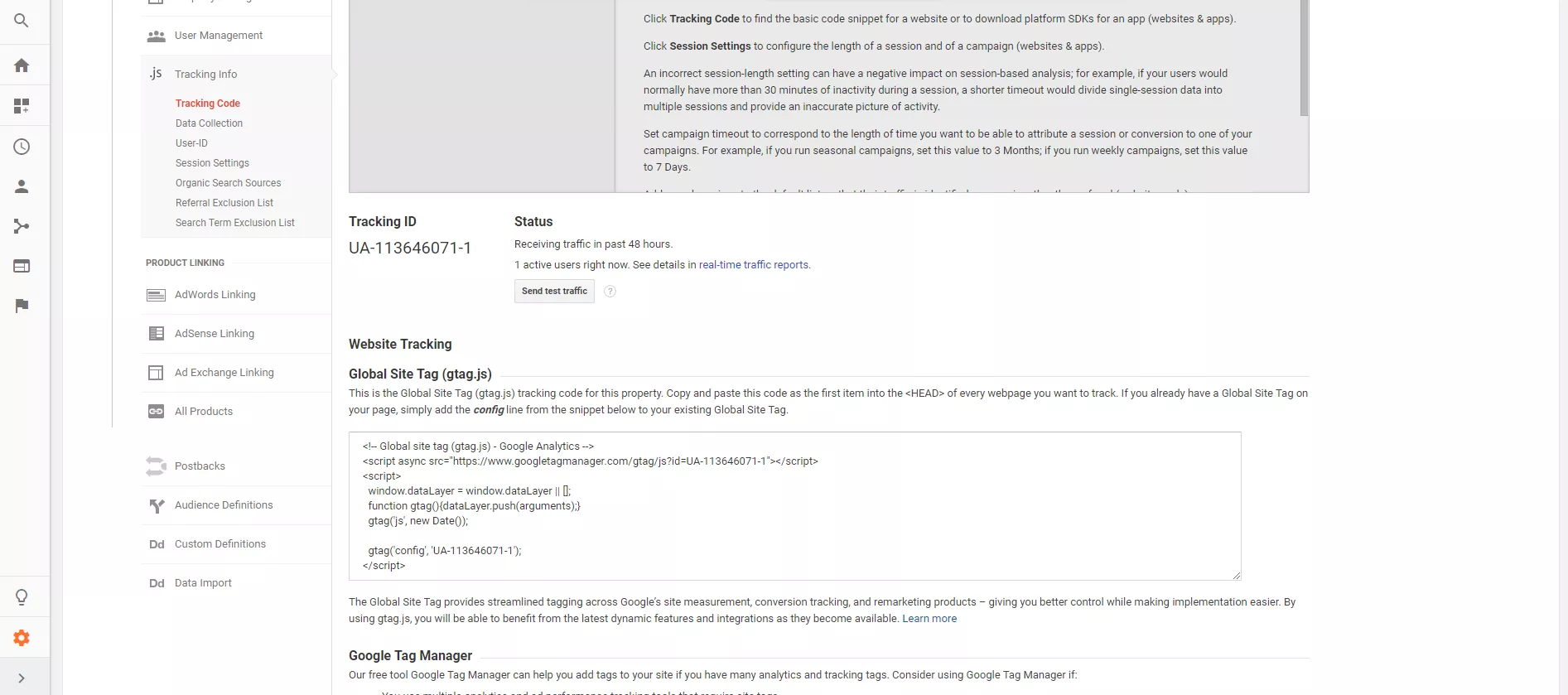 With most popular website builders, you will only need this tracking ID and you will not have to worry about any coding on your website. The next step is entirely dependent on the platform your website is on. Here are some helpful guides for the most popular website management systems.
- Install Google Analytics on WordPress using the Simple Universal Google Analytics plugin
- Install Google Analytics on Squarespace
- Install Google Analytics on Wix
- Install Google Analytics on GoDaddy Website Builder
Once you have installed Google Analytics, it is time to start looking at some metrics. Otherwise, you can have a digital marketing expert connect Google Analytics to your business website within 24 hours.
Step 2: Understanding Important Website Traffic Statistics
Once you are logged in to the analytics, you will notice five tabs under Reports. 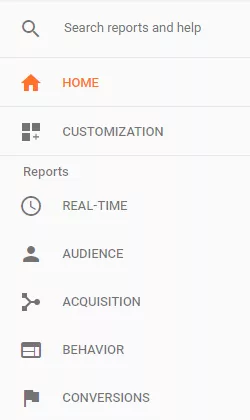 The first tab, “Real-Time”, will allow you to see any active users currently on your website at the current moment. With the additional options, you can see where these users are located, where they came from, and the content they are viewing. Moving to the “Audience” tab, we can see an extensive amount of simple data for a date range of your choosing.
 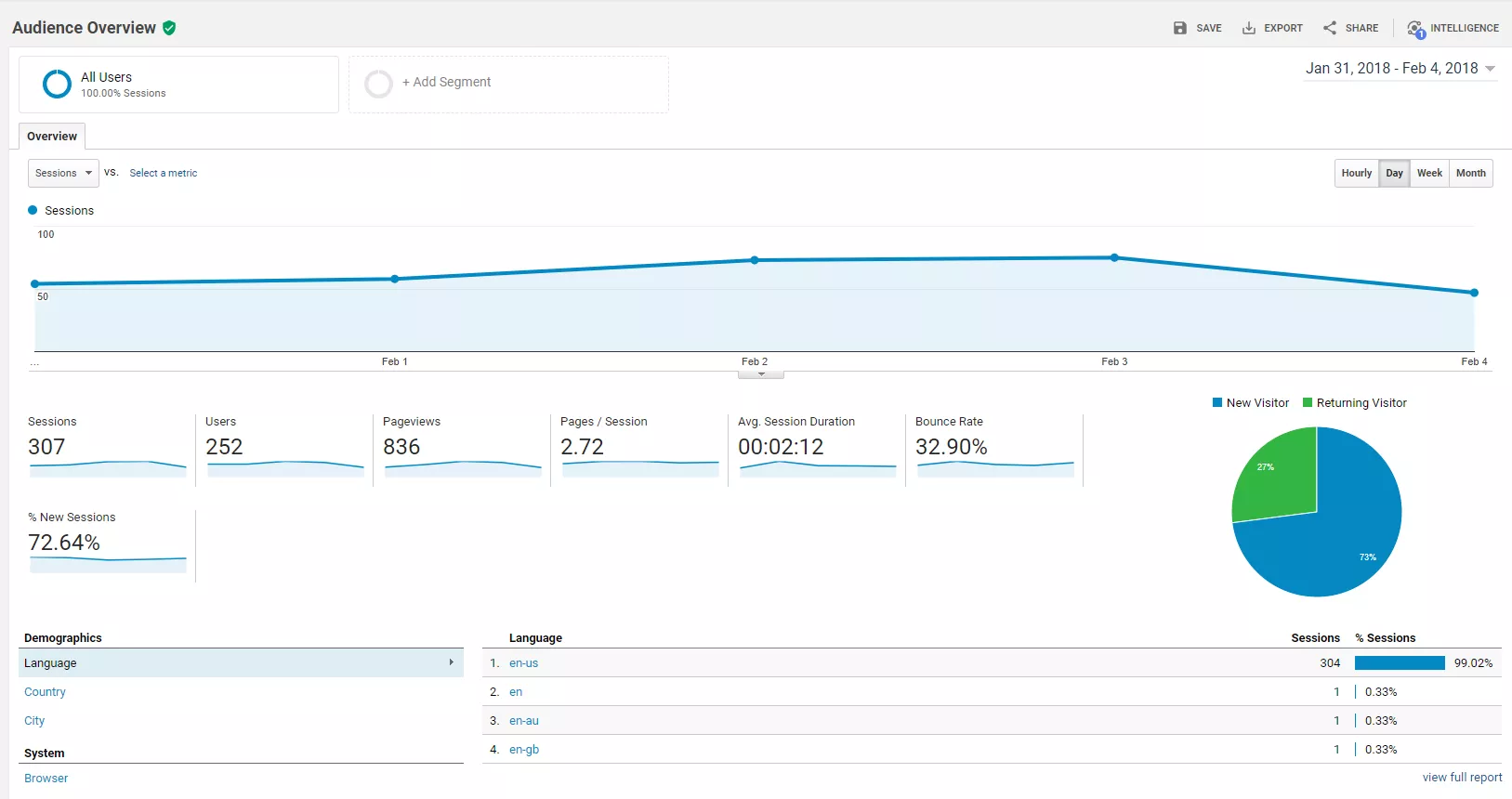 Begin by choosing your date range in the top-right corner and click “Apply”. For this example, we choose to see the metrics for a week.
Check Website Traffic with Google Analytics Audience Tab
This tab has some key statistics to understand how people use your website. Let’s look at what each of these metrics means to you.
- Sessions
- This is simply the number of times any user is actively engaged with your website.
- Users
- The number of users to your site. This is different than sessions since a user can engage with your website multiple times within a given date range.
- Pageviews
- This is the number of times a page has been viewed on your site.
- Pages / Sessions
- The average amount of pages a user engages with per session.
- Sessions Duration
- This is the average amount of time a user spends on your website between all pages.
- Bounce Rate
- The bounce rate is an indicator if people are engaging with your content. This is the percentage of users who did not interact with a page upon a visit.
- % New Sessions
- This is simply the percentage of new users vs. returning users to your site.
Underneath those metrics are some additional options to see your users’ demographics, systems, and mobile device usage.
Demographics Data
The demographics section can show you exactly where your users are coming in from and this can target down to a country, state, or even a user’s city. 
Systems Statistics
While the systems tab showing the user’s browser may not seem important, it could possibly lead to understanding website issues. For example, if you have a bounce rate of 30% on the Chrome web browser and a bounce rate of 70% on Safari, that might lead you to believe that the website might not show correctly on that browser. By now, I am sure that you have noticed the large number of sections to explore the “Audience” tab. While many of these options can provide valuable data, we are going to cover a few of the simple components that are helpful and easy to understand.
Demographics Overview
With the demographics secondary tab, we can see an overview of age and gender of your website users. This is incredibly helpful in understanding your consumer segments that can build your marketing efforts. 
Mobile Statistic Overview
This section will show you how many people access your website on a mobile device vs. a desktop computer or tablet.  This will better help in understanding how users are searching for your site and optimizing your content for those viewers. Now that we have covered the “Overview” section of the Audience Reporting tab, let’s take a look at some of the other sub-menu items before moving to the “Acquisition Tab” The first sub-menu items include:
- Active Users
- Lifetime Value
- Cohort Analysis
- Audiences
- User Explorer
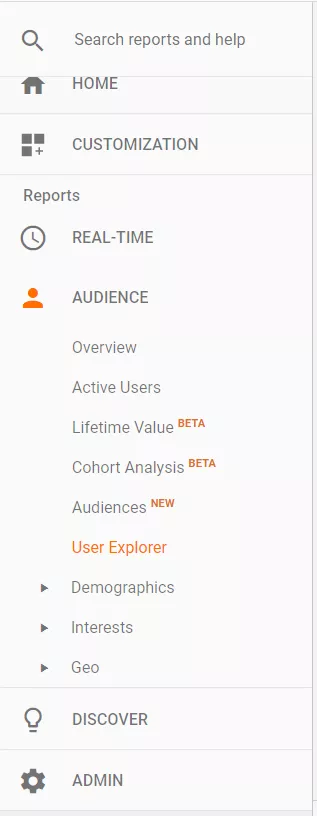 Let’s stop and take a look at what the “User Explorer” sub menu tells us as small business owners. This section shows us the exact behavior of each individual user on the website. This can include the country, IP Address, behavior flow, time spent at each point of the site, and much more. Why is this important? This is extremely useful in being able to determine how and why people act the way they do on your website. For example, you may notice that many users are finding your website through organic search results but leave quickly. Then you see that it is common for those same people to visit a week later through a social media channel but spend more time on the site. This may tell you that you could imporve upon the user experience from being found on organic search results. The “user explorer” screen looks like this:
 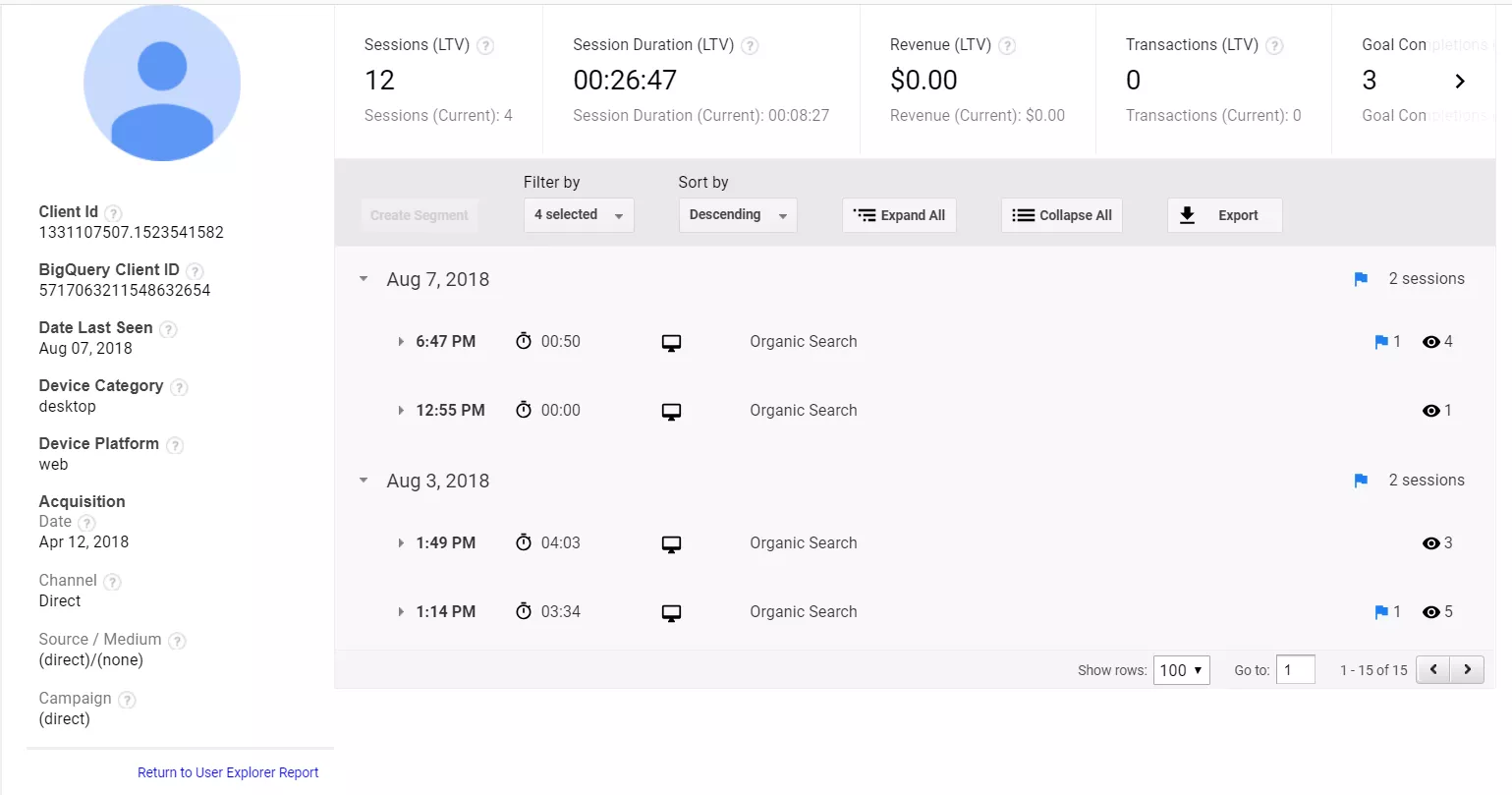 Take note of how this particular user came back to the website four times within the week and the time spent at each visit. Now, let’s go back to our main five sections and look at the “Acquisition Tab”.
  When selecting the “Overview” subtab, we gain the statistics involved with how people are arriving at your website. Let’s explain these options in detail.
- Direct
- This is when a user is searching for your brand directly.
- Organic Search
- This is when a user comes to your website through the organic results of a search engine. This is built on the authority and trust of your webpage and is the key element for search engine optimization.
- Referral
- This is the number of users who arrive at your site through other web pages on the internet.
- Social
- The number of users who are sent to your website through social media channels.
 This data is extremely helpful in understanding where you acquire your visitor and how to best optimize for certain channels. For example, if the website’s organic search is low compared to other metrics, then it might be wise to investigate options for optimizing your website or hire a professional SEO agency to build your rankings. Stepping back to the main five categories, let’s look at an essential element of the “Behavior” tab.
Behavior Statistics
The data that we find most helpful in this section is under “Behavior Flow” The Behavior Flow tab shows the customer journey for your users from where they begin on your website until they leave. These statistics clarify which pages on your site are helpful for users and when people are deciding to leave your site. This allows you to optimize your pages for better customer interaction. 
You can also use the power of Google Analytics with other third-party reporting interfaces to build robust charts and analytics.
For example, with Sitechecker, you can check the traffic on your site in a few seconds. The tool also provides the ability to integrate Google Analytics, and you can use Sitechecker to track traffic on your site and not only.
This guide should give you a great start to understanding some of the best statistics to know for your website. While there is much to learn about Google Analytics, these tips will help your business in optimizing your pages and creating stronger customer segments and a better customer journey on your website.
Need Help Installing Google Analytics?
We can help install Google Analytics within 24 hours so you can focus on the important metrics for your business.

Try it now for free!


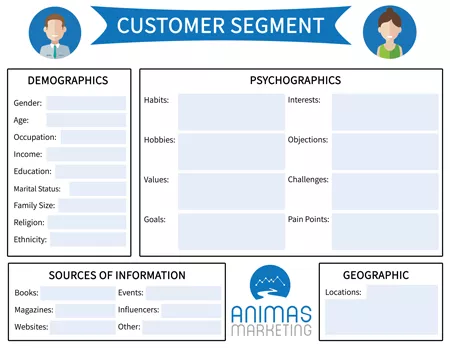
Bring in high-converting customers to your business with the customer segment template.
Need Marketing Help?
If you want assistance with marketing strategies to grow your business, then let’s talk.
Read more articles about analytics.
Read more articles about marketing.

To Improve Your Thai Business Prospects – Engage With a Digital Marketing Agency
Many Thai customers continue to shop using their various digital devices, and while the high street can still be busy, there is an increasing number of profits to be made using online methods. The hope is that you already have some kind of e-commerce presence, because...

Year-Round Marketing Strategies for Accounting Firms
Competition among accounting firms increases with every dawn of the day, with thousands of new accountants joining the industry every year. Without conscious effort to become outstanding, it’s very easy to get lost in the crowd. And that means less business, and,...

Real Strategies That Make Digital Impact
In a digital-first world, visibility alone isn't enough. Brands must strive for genuine impact, cutting through the noise, delivering value and creating memorable interactions with their audience. A clever ad or trendy reel might get attention for a moment, but true...

How Managed Mobility Support Agile Marketing Teams
Achieving marketing success these days feels like a Herculean task. The market is so competitive that you need to craft clever campaigns to stand out and gain improved visibility. Beyond targeting the subconscious mind, you must practice agile marketing by being...

4 Undeniable Marketing Benefits of Renting LED Mobile Event Screens
If you want to grab attention quickly or enhance the experience of attendees at your next show or event, interactivity is something you should consider. The great thing about events is that they bring people together in one space, but in today’s digital world, we can...

How to Establish a Strong Presence on Relevant Social Media Platforms
Establishing a strong presence on relevant social media platforms means more than just opening an account. It’s about creating a space where your audience feels seen, heard, and engaged. By focusing on the right channels, crafting content that resonates, and...
0 Comments