
PNG to PDF Conversion – Explore Cost-Free Solutions

February 17, 2024

Methods For Converting PNG to PDF Free of Cost:


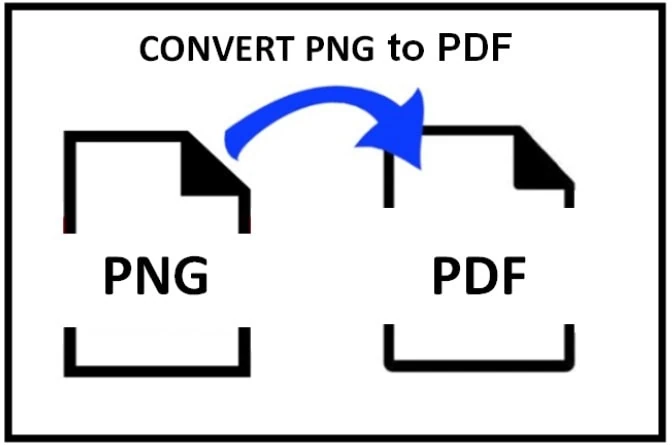
Portable Network Graphics is a popular choice for artists, websites, photographs, and more because of its high quality, transparency, and lossless image compression. Several reasons may compel you to convert the PNG format into a PDF such as to make it accessible and to fetch the text out from the PNG.
 

PNG-to-PDF-Conversion-Explore-Cost-Free-Solutions-001


Portable document format (PDF) is the most commonly known document format all over the World. This file format can easily be opened by any smart device. The easiest and quickest way to perform this conversion is through the PNG to PDF converter. For this, go to pngtopdf.xyz and get the assistance of a reliable tool.


To learn about the free methods of conversions, Read on!


1. Using Google Drive


Almost all of us are familiar with Google Drive because it is a commonly used cloud storage. It can turn PNG into PDF and also facilitates the extraction of text from your images with the help of the built-in OCR technology. Meanwhile, you can easily access the text written on an image and can make it editable.

Steps:

    • Go to Google Drive and upload the PNG image
    • Click on the file and open the image in Google Docs
    • When the image is opened you will see the text written on the image will appear under the image in the editable form
    • Now click on the file table and choose the download option
    • Select PDF as the output format and that’s all


2. Using Built-in Tools


Windows and MacOS both come with built-in tools that facilitate the conversion from PNG to PDF without requiring additional installation.


For Windows:

 

PNG-to-PDF-Conversion-Explore-Cost-Free-Solutions-002


The photo view app serves as a great tool. It also allows you to convert PNG images to PDF files in seconds.

Steps:

    • Open the PNG image in Photo Viewer.
    • Now right-click on the image and choose the prig option
    • From the new window choose Microsoft Print to PDF and click on the print button, a new window will appear on the screen
    • Add the name of the file and set the destination
    • Click on the save button and your converted PDF file will be saved.


For macOS:


If you are working on MacOS then you can still turn PNG to PDF with the help of the Preview applications and can save the image as a PDF.

Steps:

    • Open the PNG File with the Preview
    • Go to the Print Dialog
    • Select PDF as the Output Format
    • Choose a Save Location
    • Choose “Save as PDF”


Following these steps, you can easily convert a PNG file to a PDF using the Preview application on MacOS. This method is quick and does not require any additional software installations, making it a convenient option for basic conversion needs.


3. pngtopdf.xyz


This online PNG to PDF converter allows you to convert PNG images to PDF files. With it, you can easily convert your images and make them accessible on all smart devices and operating systems. A portable document format is converted into one of the most easily accessible formats in the whole World. This online converter provides you with three fantastic features that you can use while converting your PNG images. These features are:

    • Merge all images in one PDF file
    • Convert each image as a separate PDF
    • Convert with OCR


The last feature makes this tool a perfect choice for students and professionals. With the help of it, they can extract the text from the images and can make a PDF in seconds.

Steps:

    • Access this tool from your browser
    • Choose or drag/drop the PNG image into the toolbox of the converter
    • Once your image is uploaded, choose the option to merge images as one PDF, convert all the uploaded images as separate PDFs, or convert with OCR.
    • After that, click on the convert button and wait a couple of seconds until the completion of the process.
    • When you see the conversion process is completed, hit the download all button to access the converter PDF file.


Conclusion:


Converting PNG to PDF free of cost is easily achievable through various methods but we have discussed a few most authentic ways to do that.  Whether opting for online platforms, cloud services, free software, or built-in operating system tools, users have a range of options to choose from based on their preferences and technical comfort. These methods empower users to handle PNG conversions efficiently without paying for expensive software licenses.


0 Comments

Is Your Business Being Found Online?

Laptop Metrics Colorado

Free Digital Marketing Report ($150 Value)

marketing module lineWant to know how your business stacks up against the competition?

Read more articles about Web Tools.

How Businesses Can Stay Secure in a Post-Quantum World

Quantum computing once sounded like a distant concern for governments, researchers, and science fiction writers. Today, it is becoming a serious business issue. While large-scale quantum computers capable of breaking today’s widely used encryption are not yet...

Growth at Any Cost? The Risky Side of Scaling Too Fast

Growth is often treated as the ultimate proof of success. More customers, more revenue, more hires, more markets. On the surface, rapid expansion signals momentum and ambition. But beneath that momentum, growth can create cracks that are difficult — sometimes...

How to Increase Visits from Google Maps

Google Maps is one of the most powerful tools for driving foot traffic and online visits to local businesses. When someone searches for a service near them, Google Maps results often appear before anything else. Getting your business to show up prominently — and...

First-Time Unemployment Insurance (UI) for Small Businesses in Colorado: What No One Tells You Until It’s Too Late

If you’re a small business owner in Colorado, chances are you didn’t start your company dreaming about payroll taxes, compliance portals, or quarterly filings. You started it to build something real—serve customers, create jobs, maybe even buy back a little freedom...

Why Marketers Need a VPN for Secure and Global Campaigns

What Marketers Need to Know About VPNs Today Marketing teams today deal with a mix of creativity, analytics, remote collaboration, and — whether they like it or not — data security. With so much work happening online, and often from different locations and devices,...

How to Know If Your Business Is Worth Franchising

Many successful business owners consider franchising to be one of the most effective strategies to grow and develop their business. But not all companies can be franchised, even those that are successfully profitable. Understanding whether your business has franchise...

How to Scale Your Marketing Output With Outsourced Tech Writers

In the highly competitive tech industry, there’s no such thing as too much marketing. Staying ahead of your competitors is a full-time job for multiple people, with content demands alone often being too high for your in-house team to meet. If you’ve got a backlog of...

WooCommerce Marketing Plugins: The Best Tools for Email Revenue

A default WooCommerce store is great for showcasing your products, but it’s missing the tools that help maximize revenue to its full potential. WooCommerce marketing plugins allow you to bridge this gap and extend WooCommerce for email/SMS, on-site CRO, and revenue...

Read more articles about business.

Growth at Any Cost? The Risky Side of Scaling Too Fast

Growth at Any Cost? The Risky Side of Scaling Too Fast

Growth is often treated as the ultimate proof of success. But beneath that momentum, rapid expansion can create cracks that are difficult to repair. From financial strain to operational chaos, scaling too fast is a risk many businesses underestimate.

How to Scale Your Marketing Output With Outsourced Tech Writers

How to Scale Your Marketing Output With Outsourced Tech Writers

In the highly competitive tech industry, there’s no such thing as too much marketing. Staying ahead of your competitors is a full-time job for multiple people, with content demands alone often being too high for your in-house team to meet. If you’ve got a backlog of...

Exploring Cost Benefits of Nearshore Outsourcing for Startups

Exploring Cost Benefits of Nearshore Outsourcing for Startups

Craving some hidden cost benefits for your startup? Let's cut to the chase. Every startup faces the same dilemma. You need the best talent to build your product, but you've barely got a few thousand dollars to your name. The good news? Nearshore outsourcing companies...

Top 5 US Link Building Services For Businesses

Top 5 US Link Building Services For Businesses

Building a strong online presence is non-negotiable for any business aiming to stay ahead of the competition. One of the most effective ways to improve your visibility and climb the search engine ranks is through strategic link building. But not all agencies are...