
The success of a website may all but boil down to the site architecture. This basically refers to the elements that determine how easily users and search engines can visit and make use of your content. It goes without saying that a site that’s well-structured can improve user experience, boost search rankings, and keep visitors engaged. That’s the gold standard you should aim for.

This guide is going to help you get there. Here are eight key elements that can help you set up a site architecture that works.
Clear Navigation Structure
A clear navigation structure ensures that anyone visiting your site knows exactly where to go to find what they need. To start, keep your main menu simple. Focus on 5-7 key categories that represent your core content or services. For example, if you run an online clothing store, your main categories could be “Men,” “Women,” “Kids,” “Sale,” and “New Arrivals.”
Under each category, use submenus to break things down further. For instance, under “Women,” you could have subcategories like “Dresses,” “Tops,” “Pants,” and “Accessories.” The idea is to guide users logically from broad categories to specific items without overwhelming them.
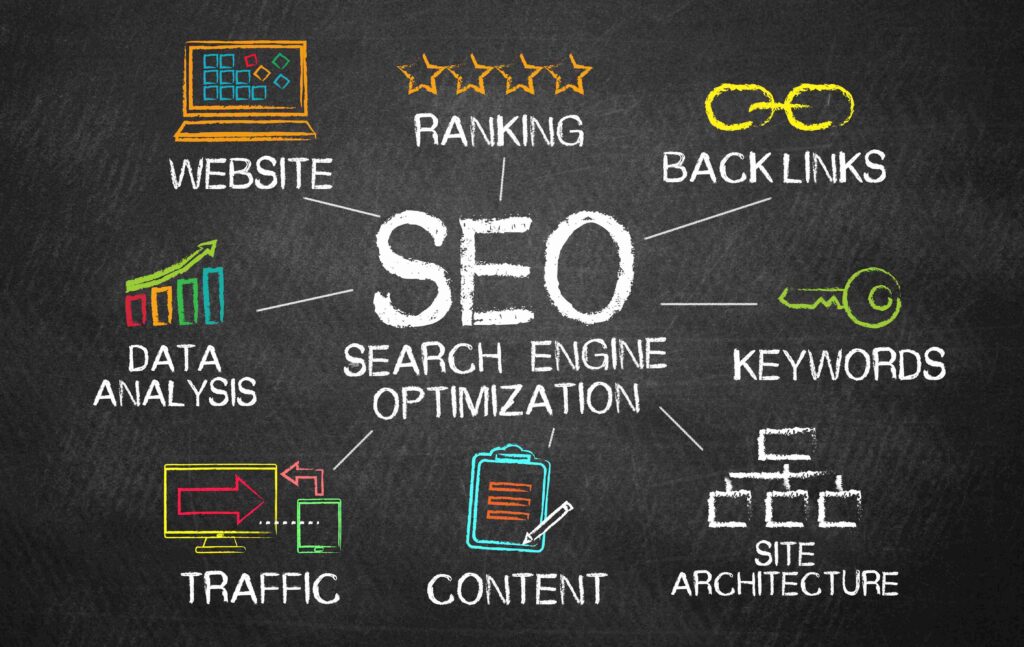
As the experts always put it, you should build a hierarchy with a three-click rule in mind. This means any piece of content on your site is within reach three clicks from the homepage. For example:
Homepage → Laptops → Gaming Laptops → Product Page. This keeps things simple and prevents users from getting lost. Also, consider adding a “Search” bar in a prominent spot. Sometimes, even the best navigation won’t cover exactly what a user is searching for.
Pro tips: Use analytics tools like Google Analytics to see how users navigate your site. If people consistently drop off at a certain point, your hierarchy might need tweaking. Also, avoid industry jargon unless your audience is very familiar with it. Instead of naming a category something like “Apparel Solutions,” just call it “Clothing.”
Internal Linking Strategy
Internal links are the pathways that connect different parts of your website. They don’t just help search engines crawl your site; they also guide your visitors around, which can contribute to keeping them engaged longer.
Say you’re running a blog about fitness. You write a post on “5 Tips for Better Cardio Workouts.” Within that post, you can link to another article titled “Best Running Shoes for Beginners” or “How to Track Your Heart Rate Effectively.” These internal links gently nudge your readers to explore more of your content.
Why does this matter? Imagine someone lands on your site for the first time. They read one blog post, find it valuable, and then spot a related link that catches their interest. Before they know it, they’ve clicked through three or four articles. This keeps them engaged and increases the chance they’ll trust you—and maybe even buy something.
For search engines, internal links show relationships between your pages. If your homepage links to an important blog post multiple times, Google recognizes that page as valuable.
Do you wish to take it a little further? Consider looking into tools like Snap SEO or others that can simplify the process by analyzing your site structure and suggesting internal linking opportunities based on Google Search Console data.
For instance, it can identify topic clusters and pages with high potential that need more links. This makes optimizing your website both faster and smarter. Why do it manually when technology can take the guesswork out of the equation?
A tip from the pros: Use keyword-rich anchor text (the clickable words in a link) to help search engines understand what the linked page is about. For example, instead of writing “Click here,” use something like “Learn more about effective strength training.”
Mobile-Friendly Design
If someone clicks on your site from their phone and they find the layout a mess to read, chances are, they’ll leave. A mobile-friendly design ensures your site looks and works great on any device, especially smartphones. This is critical because over 50% of web traffic now comes from mobile users.
How do you make your site mobile-friendly? Start with a responsive design. This means your website automatically adjusts to fit different screen sizes. Images shrink (but don’t distort), menus become dropdowns, and buttons get larger for easy tapping.
Consider testing your site on different devices. Open it on your phone, your friend’s tablet, or even an older device. Check for issues like slow loading times or hard-to-read text. If anything feels clunky, it’s important to fix it.
URL Structure
A clean, logical URL tells users and search engines exactly where they’re going. If your URLs look like this:
“www.example.com/p=1234,” they’re confusing and forgettable. Instead, create URLs that are clear and descriptive, like “www.example.com/healthy-breakfast-recipes.”
Why is this important? For one, it helps users immediately understand what a page is about. A clean URL gives them confidence they’ve clicked on the right link. Second, it boosts SEO. Search engines use URLs to understand your content, and keywords in a URL can improve rankings.
Short, descriptive URLs are easier to share, too. Think about it when someone copies your link to send it to a friend. They’re more likely to share something simple and clean rather than a URL that looks like a math problem.
Here’s a simple rule of thumb:
- Use lowercase letters (no capitals).
- Separate words with hyphens (not underscores).
- Keep it as short as possible without cutting out important information.
Lastly, avoid stuffing URLs with unnecessary keywords. For example, don’t write “www.example.com/best-breakfast-recipes-healthy-breakfast-ideas-for-breakfast.” Keep it natural and readable.
Fast Page Load Speed
Studies show that if a page takes more than 3 seconds to load, visitors are likely to bounce. This slow loading doesn’t just frustrate users. It also hurts your search rankings.
So, how do you speed things up? Start with image optimization. Large images are a common culprit for slow pages. There are plenty of tools online to compress them without sacrificing quality. For example, a 5MB image can often be reduced to 500KB or less.
Next, minimize unnecessary code. If your site’s code is cluttered, it can slow things down. Tools like Google PageSpeed Insights can identify problem areas and suggest fixes. Another tip? Enable browser caching. This allows returning visitors to load your site faster since their browser remembers parts of it.
Finally, choose reliable hosting. If your server is slow, even the best-optimized site will suffer. Shared hosting might save money, but upgrading to a dedicated or cloud-based plan can make a huge difference.
Breadcrumb Navigation
Breadcrumbs are those small links—like Home > Products > Electronics > Headphones—that show users exactly where they are and how they got there. Why are they important, you may wonder?
First, they improve usability. If a visitor lands on a product page but wants to explore similar items, they can simply click on the category link in the breadcrumb trail. Second, breadcrumbs help search engines understand your site’s hierarchy. This is a huge boost to your SEO efforts.
To implement breadcrumbs effectively, keep them simple and consistent. They should follow the structure of your site hierarchy, starting from the homepage. Avoid overloading them with too many levels or links, which can overwhelm users.
Pro tip: Place breadcrumbs at the top of your pages, above the main content. They’re not the star of the show, but they should be easily noticeable.
Sitemap and Robots.txt
Think of your sitemap as a blueprint for your site. It tells search engines how your pages are structured and ensures nothing important gets overlooked during indexing. This isn’t something users will interact with directly, but it’s essential for SEO.
There are two types of sitemaps:
HTML sitemaps are for humans. These are basic pages that list your site’s content in a simple, clickable format. XML sitemaps are for search engines. They provide a behind-the-scenes map that crawlers like Google use to navigate your site.
For example, if you’ve just launched a new blog, uploading an XML sitemap to Google Search Console will help your posts get indexed faster.
Now, over to robots.txt file. This file acts like a “doorman” for search engines, telling them which parts of your site they can or can’t access. For instance, you might want to block search engines from crawling admin pages or duplicate content to avoid wasting crawl budget.
Here’s a practical example: if you run an e-commerce site, you probably don’t want search engines indexing your checkout or “thank you” pages. You can add a rule like this to your robots.txt file. Tools like Yoast SEO for WordPress or Screaming Frog make creating sitemaps and managing robots.txt files easy, even if you’re not tech-savvy.
Don’t forget to test your robots.txt file after making changes. Tools like Google’s Robots Testing Tool can help ensure you’re not accidentally blocking important content.
Closing Thoughts
Effective site architecture isn’t just about a mouthwatering design. It’s about creating an experience that users and search engines can’t get enough of. Focus on the elements this guide has pointed you towards.
Make good use of tools that can help you get there sooner and better. If needed, bring the pros on board. They can help you determine what’s best for your site and how to make the most of the resources at hand for your website’s success.


 Want to know how your business stacks up against the competition?





0 Comments